
Lucky Hunter Casino Mobile App
Lucky Hunter Casino delivers the full gaming experience directly through mobile browsers on iOS and Android, eliminating the need to download a separate app from the App Store or Google Play. The platform runs as a Progressive Web App, which means a home-screen shortcut can be added in two taps for an app-like launch experience. Every pokie, live dealer table, banking method and bonus available on desktop is mirrored on mobile, with the layout automatically adjusted for portrait and landscape orientation. This page covers the mobile setup, supported devices and the technical requirements for the best performance.
Is There a Downloadable Lucky Hunter App?
No, Lucky Hunter Casino does not currently offer a downloadable native app for iOS or Android, and there are deliberate reasons behind that decision. Apple's App Store and Google Play both restrict real-money casino applications across most regions, including Australia. Distributing an APK file outside the official stores would expose players to phishing and malware risks if third-party domains began hosting fake copies. The Progressive Web App approach delivers roughly 95% of the functionality of a native app, with the security of running inside the standard mobile browser sandbox. The mobile site updates automatically and never requires manual reinstallation when new pokies or features are released.
Playing Lucky Hunter on Mobile Browser
The mobile platform supports every major modern browser, including Safari on iOS, Chrome on Android, Firefox and Edge. The lobby is optimised for touch navigation, with one-tap access to pokies, live tables and the cashier. Loading times remain under three seconds on a standard 4G connection, and the platform automatically scales graphics quality based on the device's available memory. The mobile-optimised feature set is summarised below.
- Touch-optimised lobby — categorised game tiles with swipe filtering between pokies, live and table sections
- Portrait and landscape layouts — pokies automatically reflow when the device is rotated
- HD live dealer streams — adjustable quality settings to save data on cellular networks
- Full cashier access — deposits, withdrawals and bonus claims all available without restrictions
- Camera-roll KYC upload — verification documents can be uploaded directly from the device gallery
- Live chat support — accessible from any page through a floating panel
All session activity syncs across desktop and mobile, so a player can pause on one device and resume on another without losing bonus progress.
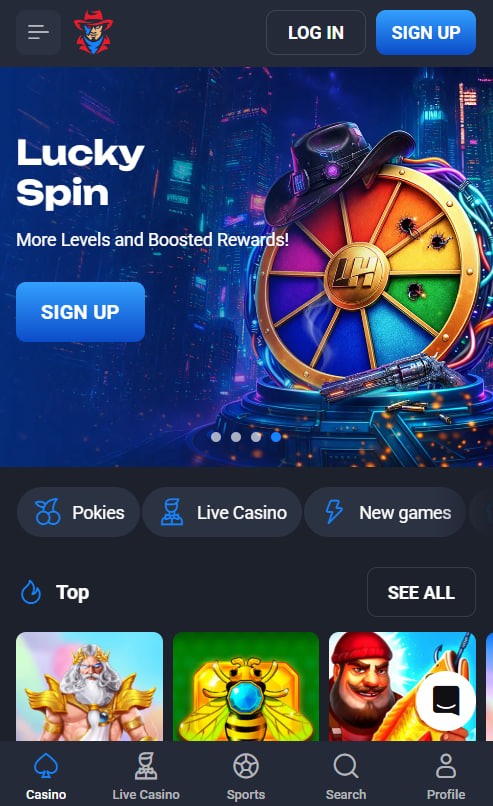
Adding Lucky Hunter to the Home Screen
The Progressive Web App shortcut creates an app-like icon on the home screen, launching the platform in full-screen mode without the browser address bar visible. The setup takes under 30 seconds on either operating system, with slightly different steps on iOS and Android.
iOS Setup with Safari
- Open Lucky Hunter in Safari — the PWA function does not work in Chrome on iOS.
- Tap the Share icon (a square with an upward arrow) in the bottom toolbar.
- Scroll down the share sheet and select Add to Home Screen.
- Confirm the shortcut name and tap Add in the top-right corner.
Android Setup with Chrome
- Open Lucky Hunter in Chrome on the Android device.
- Tap the three-dot menu in the top-right corner of the browser.
- Select Add to Home Screen from the menu options.
- Confirm the shortcut name and tap Add when prompted.
Device Compatibility and Minimum Requirements
The Lucky Hunter mobile platform is compatible with every iOS device running version 14 or higher, including iPhones from the 8 series onward and all iPad models released since 2017. On Android, devices running version 9 or later are supported, covering virtually every smartphone released after 2018. Tablet support extends to iPads, Samsung Galaxy Tab and any Android tablet that meets the operating system threshold.
| Requirement | Detail |
|---|---|
| Operating system | iOS 14+ or Android 9+ |
| RAM | 2 GB minimum, 4 GB recommended for live dealer |
| Connection | Wi-Fi or 4G, with 10 Mbps+ recommended |
| Storage | None required — fully browser-based |
| Data usage | Roughly 50 MB per hour of pokies, 200 MB per hour of live dealer |
Mobile Bonuses and Promotions
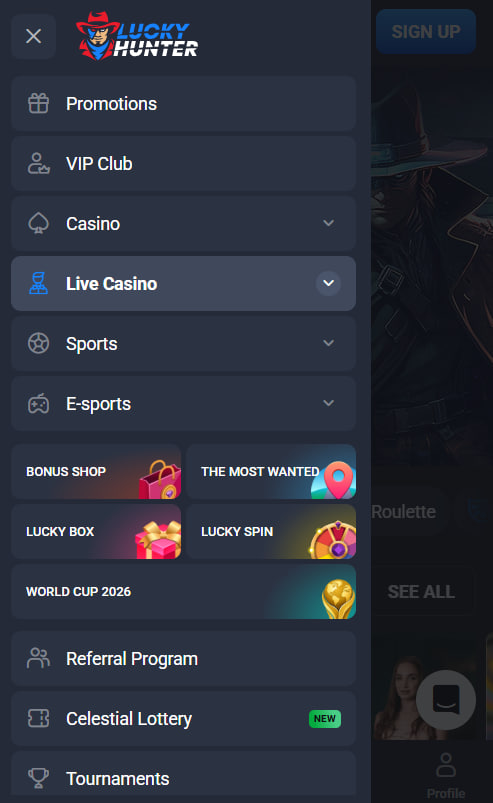
Every bonus available on the desktop platform is fully accessible on mobile, including the four-stage welcome package and all ongoing promotions. There are currently no mobile-exclusive offers at Lucky Hunter, which means Australian players never miss a promotion based on the device they choose. Promo codes are entered identically in the mobile cashier, and the in-account promotions panel mirrors the desktop layout. New players can register from any mobile browser in three minutes, and the full schedule of active offers is detailed on the bonuses page.

Barnaby Holderness
Barnaby Holderness reports on Lucky Hunter Casino at lucky-huntercasino.com, the 2023-launched offshore platform operated by Hollycorn N.V. (third brand in series with Asino and SpinRise) under Curaçao eGaming licence 8048/JAZ. Covers the 5,000+ pokies and 100+ live tables from 70+ studios (Pragmatic Play / NetEnt / Play'n GO / Evolution Gaming / BGaming / Hacksaw / Booongo / Belatra / BetSoft / Yggdrasil), four-stage AU$25,000 + 350 FS welcome with codes HUNTER1-4, namesake Lucky Hunter branded pokie, no-deposit 20 FS + Tuesday Cashback at friendlier 1x wagering, 5-tier VIP up to 30% Diamond cashback with dedicated manager, native PayID + BPAY banking, crypto under 1 hour withdrawals, HTML5 PWA mobile (iOS 14+ / Android 9+) and BetStop offshore caveat.